You shoot. We ferry it home.
Lightferry is the Mac workbench for camera cards and shoot projects. It reads each card once, writes two verified copies, files media into place and preps your editing project before you pull the card.
Finder drag
1copy · unchecked
Lightferry
2copies, written at once
Before you eject
Verified
From every card to every drive
Supported media includes MP4, MOV, MXF, BRAW, R3D, CRM, INSV, MTS, ARW, CR3, NEF, RAF, RW2, ORF, DNG, HEIF, JPG, WAV and AIFF, plus sidecars such as XML, SRT, LRF, THM and XMP.
Video, photos, RAW, audio and sidecars land on your local and external drives in the camera’s exact layout, ready to archive as a verified project to a NAS or cloud folder at wrap.
- External drives
- Local folders
- Archive to NAS
- Cloud sync folders
Projects
One click builds folders and your editing project. Project management is free forever.
Folders and editing project, ready before you roll
Pick a preset, add the project name and shoot date, and build the whole folder tree at once — or duplicate a preset to customize it. Choose Final Cut Pro, DaVinci Resolve, Premiere Pro or CapCut, and every verified ingest routes video to 01_FOOTAGE, audio to 02_AUDIO, reports to 07_DOCS, and imports or generates the editing project linked in place.
- 01_FOOTAGE
- 02_AUDIO
- 03_ASSETS
- 04_PROJECTS
- 05_EXPORTS
- 06_DELIVERY
- 07_DOCS
Every project in one place
Browse active, completed and archived shoots, organize into groups and search by name, with media size, file count and verification badge on every card. Deleted projects go to Recently Deleted first while folders and footage stay untouched on disk — free forever.
Ingest
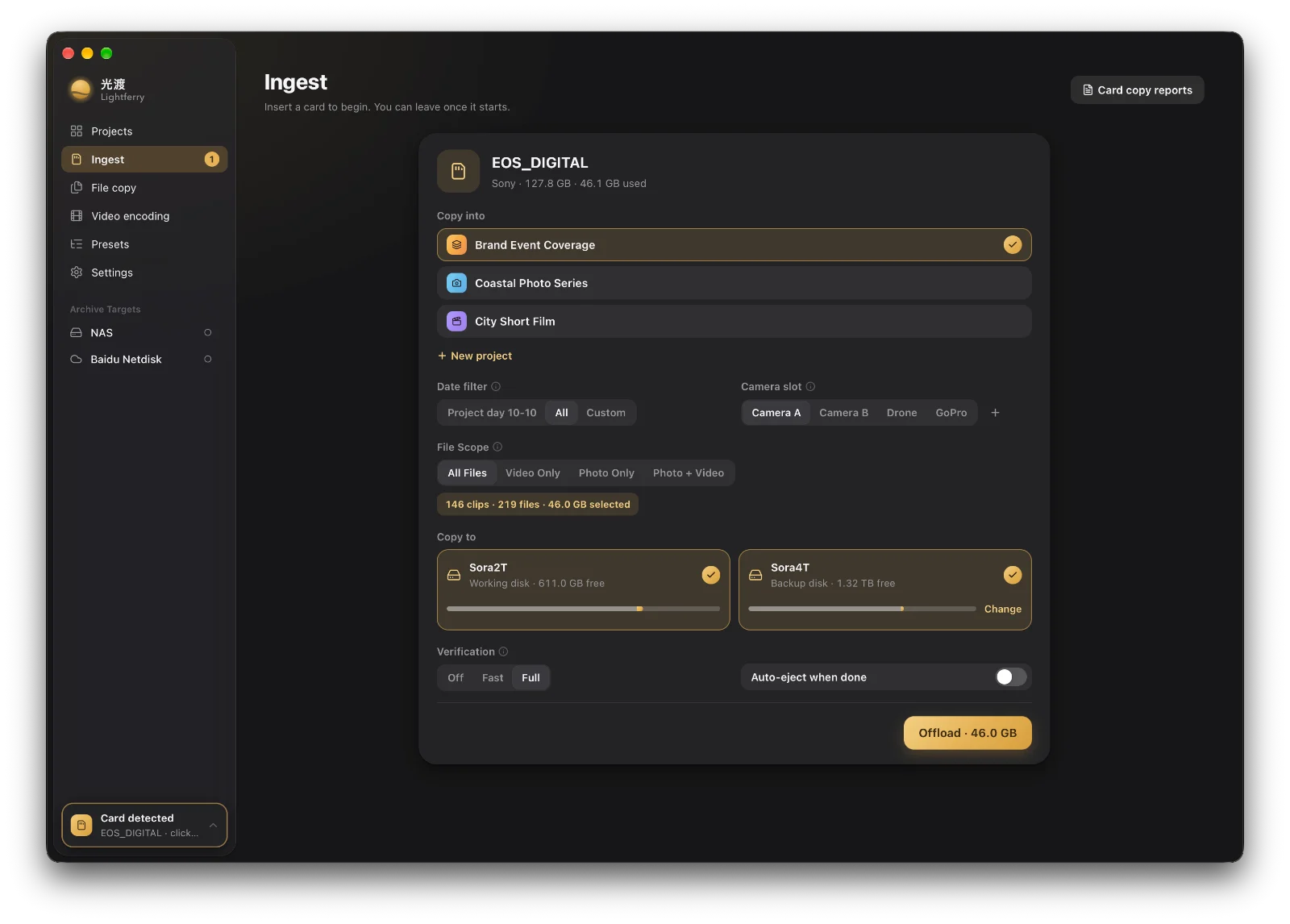
Read once from the card, land on two separate local or external drives.
Read once, write twice
Footage is read from the card once and written simultaneously to two separate local or external disks, with live progress for each and a guard against putting both copies on one physical drive.
Verify, then eject
During the write, Lightferry computes XXH64 checksums — fast digital fingerprints that catch even a single flipped bit. Read-back verification re-reads every copy from disk against them; full verification re-reads the source card too, ejecting only after every file matches. Optional email alerts also tell you on your phone when a card is safe to format.
- C0041.MP4xxh64 9f3a·71c2Match
- C0042.MP4xxh64 04be·e19dMatch
- C0042M01.XMLxxh64 b6d0·2a57Match
All 219 files match
Ejected, safe to remove
Interrupted? Pick it up
A bumped reader, a dropped drive or an app restart never loses the task ledger. Reconnect, confirm disk identity and free space, and copy only the unfinished files.
Interrupted: reader disconnected
Reconnected, same disk
Copying 37 missing files
182 finished files untouched
Recognized on insert
Card name, brand, capacity and pending media size appear right away. Pick a project and roll.
Project day 10-18
Project, camera, date
Remembers the camera slot this card used last time and defaults the shoot date to the project day.
146 clips · 46.0 GB to copy
Only what you need
Choose all files, video only or photos only, with exact clip counts and size shown upfront.
C0001.MP4
Same name already at destinationOriginal kept, not overwritten
Space and conflict precheck
Free space and nested paths are checked before a byte moves, and same-name clips across cards never silently overwrite existing files.
Speaks your language
Native 简体中文, 繁體中文, English, 日本語, 한국어 and Español, following macOS light and dark appearance on Apple silicon.
Download for macOS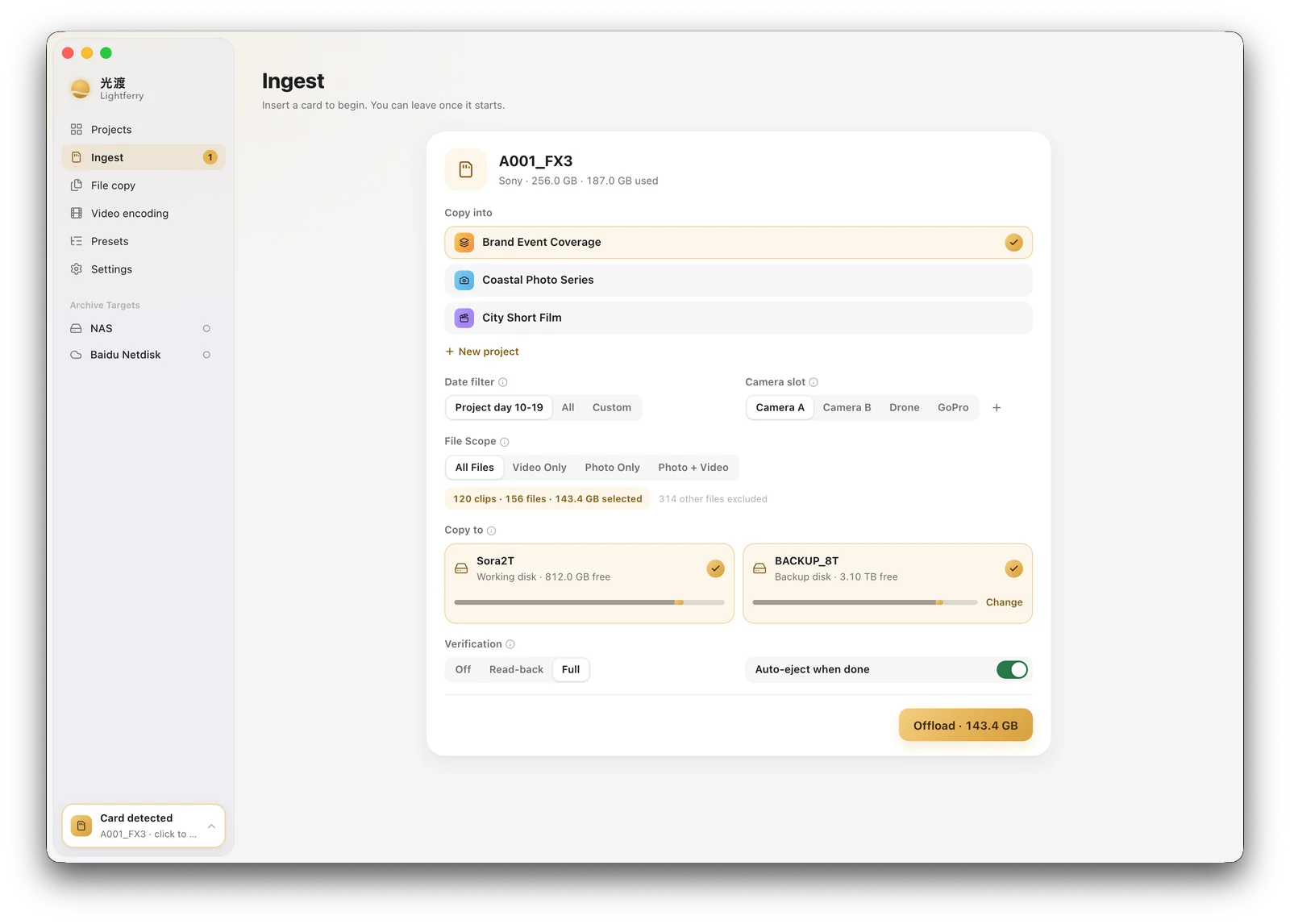
Transcode
Make lightweight edit proxies and review clips from your verified copies.
A001C003.MXF3840×2160 · S‑Log3 · 18.6 GB
A001C003_Proxy.movProRes Proxy · 1920×1080 · 1.3 GB
Proxies for the edit
Batch-transcode ProRes Proxy from verified copies — including multi-track uncompressed PCM audio presets for Premiere Pro.
00:00:12:08
Previews for review
Render lightweight H.264 review clips. Flat Log footage can apply the camera maker’s official LUT to output standard Rec.709 color that looks natural on everyday phones and laptops.
Four editors, clean relink
Proxies carry timecode and a mapping manifest so Final Cut Pro, DaVinci Resolve, Premiere Pro and CapCut relink cleanly back to the camera originals.
Proxy.mov
Mapping manifest
A001C003.MXF
OriginalArchive
Every ingest leaves a report you can export. At wrap, archive the whole project to a NAS or cloud sync folder.
Wrap with a record
Every ingest logs card identity, dual-disk paths, timing and file-by-file checksum results. Filter by project, date or status and export reports in 6 languages as HTML, PDF or CSV.
Ingest reportVerified
- A001
- 219 files
- XXH64
- All 219 files match
- Working
- SSD 2TB
- Backup
- HDD 4TB
HTMLPDF6 languages
Archive to a NAS or the cloud
Each ingest lands safely on local and external drives first; at wrap, archive the verified project folder to an SMB NAS or cloud sync folder without ever auto-deleting local media.
Your footage stays on your drives
Three lines Lightferry doesn’t cross.
Your footage never leaves your Mac
Scanning, dual-disk writing, checksum verification and project ledgers all run locally on your Mac. Not a single frame ever touches a server.
Read-only cards, untouched originals
Camera cards are read without writing back to them, and existing files on your drives are never altered, cleaned up or overwritten.
No card reuse until both copies check out
A full progress bar is not a verified copy. A card is marked ready for reuse only after both working and backup copies pass verification.

Start with your first card
Prepare, ingest, then archive. Follow each step and know what to check before moving on.
Getting started
Complete your first ingest
Create a project, write to two drives, and verify your copies.
Read guideWrap the shoot, worry-free
Download and try it free today — no sign-up required.
After downloading, three quick install steps get you started.
Still deciding?
Perpetual license $59 ($49 launch price) · 2 Macs · free project management, 3 trials per other task type